Your clients send documents on WhatsApp, Finur picks them up instantly
A photo on WhatsApp is enough: Finur confirms receipt, extracts the data and sends the document into processing. You only see the result, a proposal ready to approve, and the portfolio stays current without phone calls.
Clients don't want to learn a new app. They want to send a photo of an invoice the way they send any message, and stop calling you for every document.
No card required. See plans and choose at the end.
How it works
The client sends a photo
An invoice or receipt, photographed and sent on WhatsApp, from the phone, in seconds.
Finur confirms and processes
The agent replies with receipt confirmation, extracts the data and prepares the draft entry, linked to the right client.
You approve in the platform
The document shows up in the Approval Center, ready to review. Nothing is recorded without your confirmation.
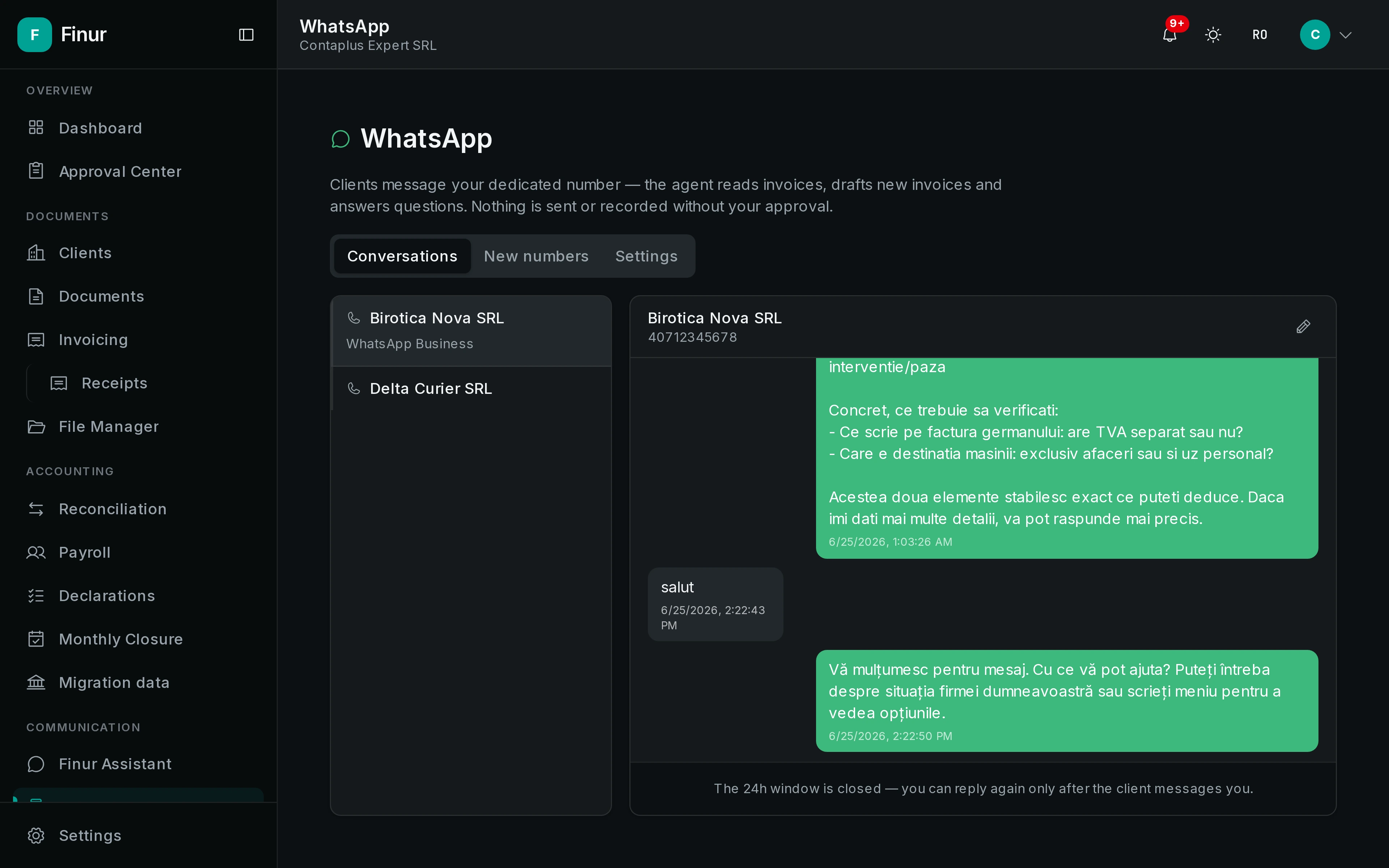
What it produces
- Receipt confirmation
- Automatic extraction
- Document in folder
- Proposal to approve
What it can do
- No new app for the client
- Clients use the WhatsApp they already have. They send photos of invoices and receipts just like any message, with no account and no training.
- Automatic receipt confirmation
- Every document gets an instant reply ("got it, processing now"), so the client knows it arrived and you no longer confirm by hand.
- Documents appear processed in the folder
- What the client sends is read, classified and linked to their folder, so it shows up ready to review, not as a message to sort.
- You only see the result
- Instead of a chat thread to follow, you get a proposal to approve. Client communication still happens; it just no longer runs through you.
No new app
Confirmation
Processing
Result
Frequently asked questions
Does the client need a Finur account?
No. The client only uses their own WhatsApp. The link to the firm and folder happens behind the scenes, with nothing to install or learn.
Does the agent reply to clients for me?
It confirms receipt and answers simple questions (deadlines, what's still missing). Anything that matters, like issuing or filing, stays a proposal you approve.
Are WhatsApp documents secure?
Yes. Each client is strictly isolated at the data level, and documents enter the same secure flow as the rest of the platform, archived in the company folder.
Take on more clients, without hiring
Your digital employee works around the clock on the full flow: documents, filings, clients. You just approve.