From timesheet to bank payment, with D112 and REGES generated automatically
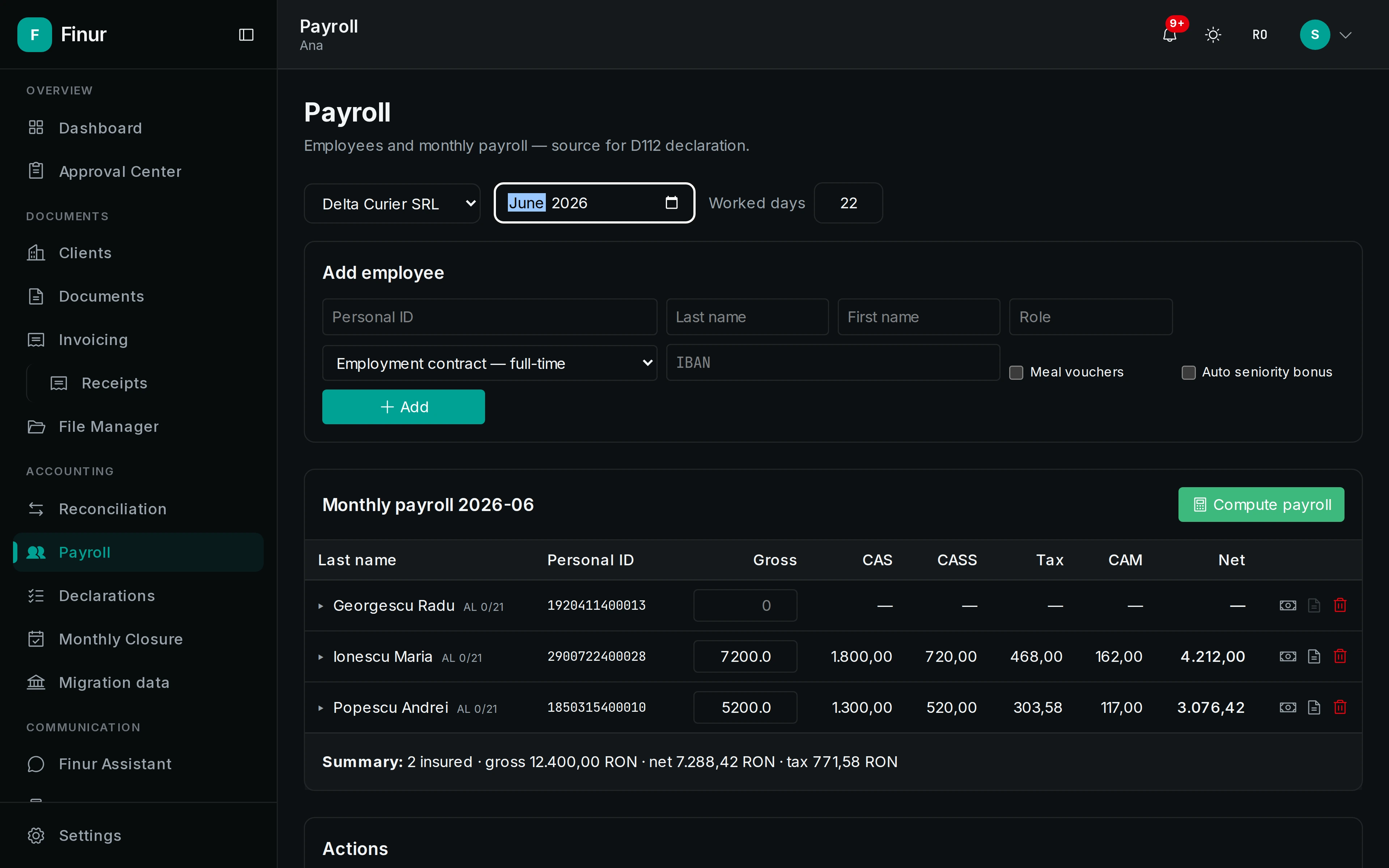
Finur computes payslips from the timesheet, generates the pay stubs, prepares the D112 return and REGES files, plus the bank payment file, all validated before filing and approved by you.
Payroll means timesheets, proration, leave, deductions, the D112 return and REGES: steps where a single error cascades through the whole chain.
No card required. See plans and choose at the end.
How it works
Enter the timesheet
Days, leave, bonuses and deductions, per employee. Finur applies proration and the current month's rules.
The agent computes and prepares
Payslips, pay stubs, D112, REGES and the payment file, all generated and run through validations.
You approve before filing and payment
Nothing is filed to ANAF and no payment file leaves without your approval in the Approval Center.
What it produces
- Payslips
- PDF pay stubs
- D112 return
- REGES
- CSV / SEPA payment file
What it can do
- Timesheet with proration, leave and deductions
- Days worked, annual and medical leave, seniority bonuses, meal tickets and deductions, computed correctly, with the month prorated.
- Payslips and PDF pay stubs
- For each employee: gross, contributions, tax, net and a ready-to-send PDF pay stub, with personal deductions applied.
- D112 generated and validated
- The D112 return is built from the payslips and run through validations before filing, with the D112 deductions correctly reflected.
- REGES and bank payment
- REGES files for contracts and the bank payment file (CSV / SEPA) are generated from a single flow, ready to upload.
Timesheet
Payslips
D112
REGES & payment
Frequently asked questions
Does it cover medical leave and bonuses?
Yes: annual and medical leave, seniority bonus, meal tickets and deductions are included in the payslip calculation and the month's proration.
Is D112 filed automatically?
No. D112 is generated and validated, but filing to ANAF waits for your signature, because it is an official return that goes through signature approval.
Can I export the payment to the bank?
Yes, as a CSV or SEPA file, ready to upload into online banking. Generating it triggers no payment; you initiate that at the bank.
Take on more clients, without hiring
Your digital employee works around the clock on the full flow: documents, filings, clients. You just approve.