Invoices, receipts and statements read automatically, turned into entries
Finur reads the document, extracts the supplier, amounts, VAT and due date, proposes the ledger account with a confidence level, and drafts the entry, so you review a ready-made proposal, not a blank field.
Manually keying in invoices and receipts is the repetitive work that eats the most hours in a firm, and where most typing errors creep in.
No card required. See plans and choose at the end.
How it works
The document comes in
From e-Factura, email, uploaded by you or sent by the client on WhatsApp: the source doesn't matter, the processing is the same.
The agent reads and proposes
Data is extracted and classified, an account is proposed and the entry drafted, with the confidence level shown.
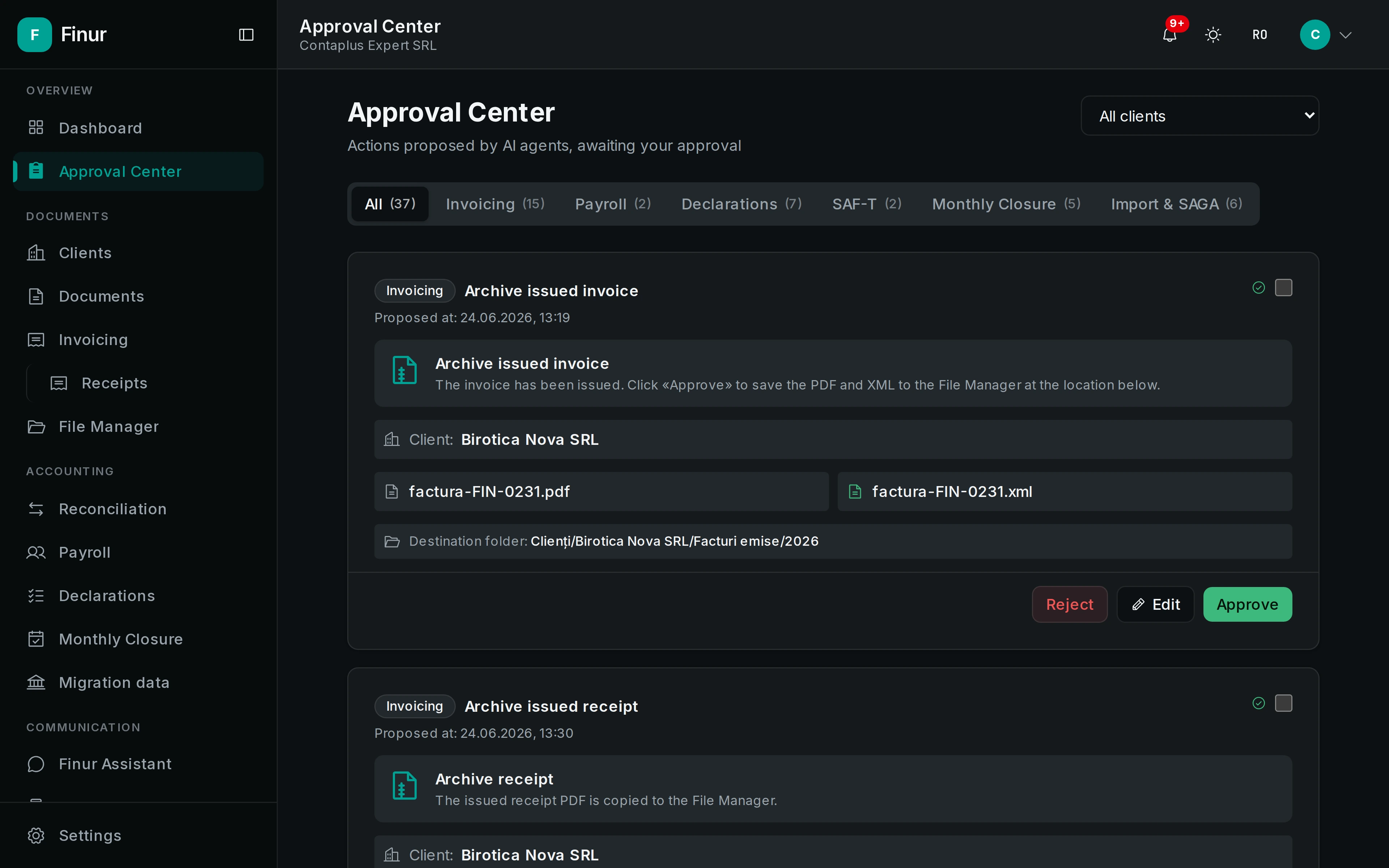
You approve the proposal
You review the ready-made result and approve or correct it. Recording and archiving happen only after your confirmation.
What it produces
- Drafted entry
- VAT on 4426/4427
- Purchase journal
- Indexed client folder
What it can do
- Automatic reading of key data
- Supplier, tax ID, number, date, base, VAT by rate and due date, extracted from PDF, photo or receipt, whatever the format or quality.
- Account proposal with confidence level
- The agent suggests the right ledger account and shows how sure it is. Where it has doubts, it flags them explicitly and never guesses silently.
- Every proposal goes through you
- Proposals land in the Approval Center. Approve in one click or correct first; nothing is recorded without your confirmation.
- The document files itself
- After approval, the document is archived in the right client folder, linked to the entry and the VAT journal.
Reading
Proposal
Approval
Archiving
Frequently asked questions
What document types does it read?
Invoices (PDF and e-Factura XML), fiscal receipts, bank statements and phone photos. For unclear documents, the agent flags the fields it isn't sure about.
How accurate is the extraction?
Accurate enough to prepare a complete proposal, but never treated as final. The confidence level is shown and human approval stays mandatory before recording.
What happens to already processed documents?
They stay archived in the client folder, linked to the entry, with full history, searchable by supplier, date or amount.
Take on more clients, without hiring
Your digital employee works around the clock on the full flow: documents, filings, clients. You just approve.