Month-end close, orchestrated from trial balance to your approval
Finur walks the close step by step, shows its reasoning at each check and leaves exactly what needs your decision in the Approval Center. You approve, Finur closes and archives.
Month-end close means dozens of checks per company (VAT adjustments, depreciation, FX differences, balances) where a single miss only shows up at an audit.
No card required. See plans and choose at the end.
How the agent thinks
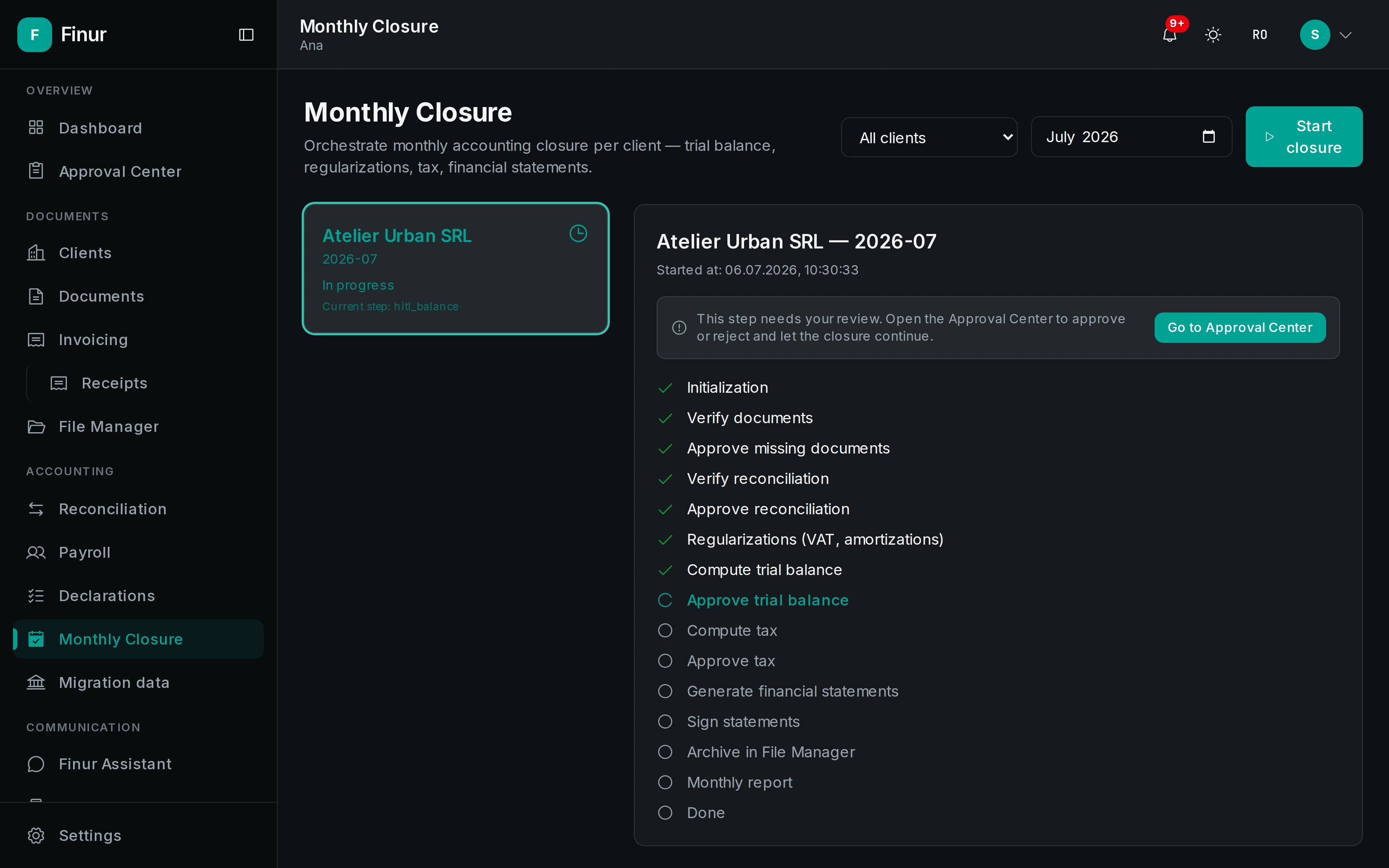
It runs the month's checklist
The agent walks every close check for the selected company, from the data already processed during the month.
It shows its reasoning and flags what's off
You see what it checked and what it found, with anomalies and unusual balances flagged explicitly, with the reasoning behind each one, not silent assumptions.
You approve in the Center, Finur closes and archives
Nothing closes without your approval. Once confirmed, the month closes and the trial balance, entries and financial statements are archived in the company folder.
What it produces
- Trial balance
- Adjustment entries
- Monthly financial statements (balance sheet, P&L, cash flow, report)
- Close archive
What it can do
- A close checklist per company
- VAT adjustments, depreciation, FX differences, provisions and balance checks: a full pass, adapted to each company's tax profile.
- Checks with visible reasoning
- At each step the agent shows what it checked, what it found and why, not just a "closed / not closed", but the reasoning behind it.
- What needs you lands in the Approval Center
- Anomalies, unusual balances and unreconciled transactions are surfaced as proposals to resolve, not hidden inside a total that "almost" adds up.
- Structured archiving after approval
- The trial balance, adjustment entries, registers and monthly statements are saved in the company folder, tied to the closed period and findable anytime.
Checklist
Reasoning
Approval
Archiving
Frequently asked questions
Does it close the month automatically?
No. Finur prepares the whole close and runs it through your approval in the Approval Center. The month closes only after your confirmation, and archiving then happens on its own.
What does it actually check at close?
VAT adjustments, depreciation, FX differences, provisions, reconciliation and balance checks, adapted to each company's tax profile.
What happens to the anomalies it finds?
They are surfaced in the Approval Center as proposals to resolve, with the agent's reasoning shown. You approve, correct or resolve them before closing.
Take on more clients, without hiring
Your digital employee works around the clock on the full flow: documents, filings, clients. You just approve.